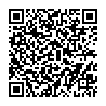
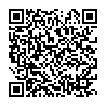
Downloading Pictures to Your Smart Device
1 Downloading Pictures to Your Smart Device (The SnapBridge App)
2 Downloading Pictures to Your Smart Device (Connecting the Camera and a Smart Device)
Android
SnapBridge version 2.5.4 is used in this video for illustrative purposes.
iOS
SnapBridge version 2.5.4 is used in this video for illustrative purposes.
Connect the camera and smart device via Bluetooth (pairing) as described in the video.
To connect via Wi-Fi, see the following:
3 Downloading Pictures to Your Smart Device (Using SnapBridge to Download Pictures)
Android
SnapBridge version 2.5.4 is used in this video for illustrative purposes.
iOS
SnapBridge version 2.5.4 is used in this video for illustrative purposes.
Download pictures to your smart device as described in the video.
You can also launch the Instagram app from SnapBridge and post your photos.
This completes downloading pictures to your smart device.
In the next Step, we will introduce how to connect to Nikon Imaging Cloud to enhance your photography experience.
If you don't connect to Nikon Imaging Cloud, all steps are completed.