
New Options for “Connect to FTP Server” in Network Menu
We have added new features to the [
You Can Add Descriptive Text to FTP Server Network Profiles
You can now add descriptive text to network profiles created in [Connect to FTP server] in the network menu.
- To add descriptive text, highlight an existing profile and press 2, then select [General] > [Network settings explanation] and press 2 to display the keyboard. Press X to proceed after entering text.
- Descriptive text can be up to 254 characters long.
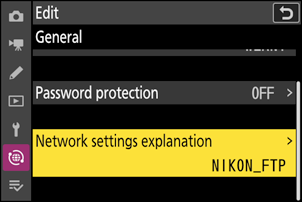
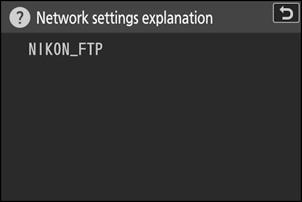
- Place the cursor on a network profile in [Connect to FTP server] and press W (Q) to display its descriptive text.
Date and Time Synchronization Via NTP Servers Is Now Available
We have added [Sync date and time with NTP server] to the options available for [Connect to FTP server] > [Options]. The camera can synchronize its date and time with the FTP server by connecting to the NTP (Network Time Protocol) server to which the FTP server connects.
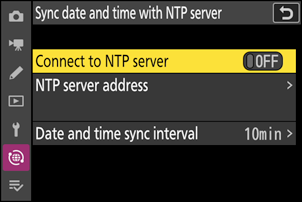
| Option | Description |
|---|---|
| [Connect to NTP server] | Selecting [ON] connects the camera to the NTP server and synchronizes its date and time. |
| [NTP server address] | Enter the URL or IP address of the NTP server that the FTP server is connected to. |
| [Date and time sync interval] | Select the interval at which the camera acquires date and time from the NTP server from [1 min], [10 min], and [60 min]. |
Cautions: Synchronization with the NTP Server
- Synchronization with the NTP server is available only while the camera is connected to the FTP server.
Date and time synchronization will not occur in the following conditions:
- if the camera fails to connect to the NTP server,
- when the standby timer has expired,
- during interval timer photography,
- focus shift shooting, or
- time-lapse video recording.
Date and time settings using the following options are unavailable during NTP server synchronization:
- [Time zone and date] > [Date and time] in the setup menu
- [Location data (built-in)] > [Set clock from satellite] in the setup menu