
New Video Playback i Menu Item: “Loop Playback”
We have added a [
Display a video full frame.
Pause the video on the desired opening frame.
- Press J to start playback. Press 3 to pause.
- Your approximate position in the video can be ascertained from the video progress bar.
- Rotate the sub-command dial one stop to skip ahead or back 10 s.
- Rotate the main command dial one stop to skip ahead or back 10 frames.
- Press 4 or 2 to advance or rewind one frame at a time.

Press the i button, highlight [Loop playback] and press 2.
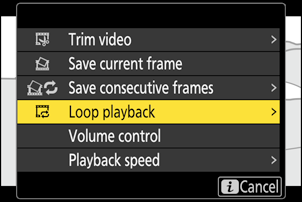
Choose [Start point].
To set a loop that begins with the current frame, highlight [Start point] and press J.
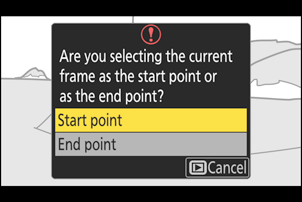
Choose the end point of the loop.
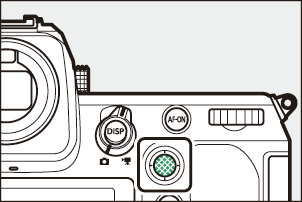
- Press the center of the sub-selector to switch to the end-point selection tool (x).
- Use the command dials to select the desired closing frame of the loop.
- Rotate the sub-command dial one stop to skip ahead or back 10 s.
- Rotate the main command dial one stop to skip ahead or back 10 frames.
- Press 4 or 2 to advance or rewind one frame at a time.
Press 1 to set the loop.
- The camera will initiate loop playback.
- Press 1, highlight [Yes], and press J to end the loop playback. To create a new loop, reset the start and end points.