
Autoexposure (AE) Lock
Use autoexposure lock to lock exposure, preventing the camera adjusting exposure automatically.
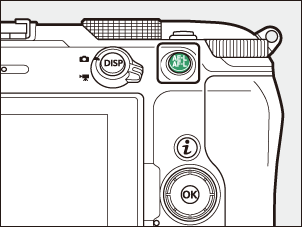
- To set the autoexposure lock, press the A button.
- Keeping the A button pressed locks exposure, preventing it changing in response to changes in composition or subject brightness.
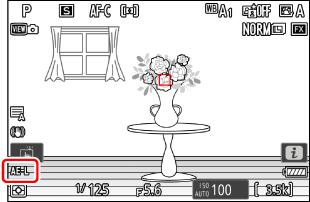
- An AE-L icon will appear in the shooting display.
- If autofocus is enabled, press the shutter-release button halfway to focus before pressing the A button. This locks both focus and exposure.
- Keeping the A button pressed, recompose the photograph and shoot.
Locking Exposure with the Shutter-Release Button
If [On (half press)] is selected for Custom Setting c1 [Shutter-release button AE-L], exposure will lock while the shutter-release button is pressed halfway.
- With [Spot metering], exposure will be locked at the value metered in a circle centered on the current focus point.
- With [Center-weighted metering], exposure will be locked at a value weighted toward a
 12-mm circle in the center of the display.
Adjusting Shutter Speed and Aperture
The following settings can be adjusted while the A button is pressed:
| Shooting mode | Setting |
|---|---|
| P | Shutter speed and aperture (flexible program; 0P (Programmed Auto)) |
| S | Shutter speed |
| A | Aperture |
- The new values can be confirmed in the shooting display.