
Playback
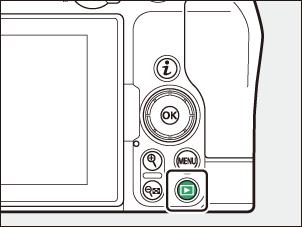
Press the K button to view photos and videos in the monitor after shooting.
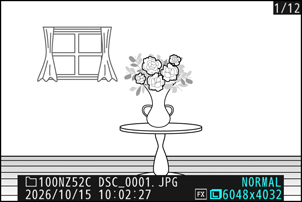
Press 4 or 2 or flick left or right to view additional pictures.
Videos are indicated by a 1 icon at the top left corner of the display. Tap the a icon in the display or press J to start playback.
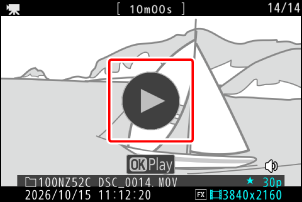
- To end playback and return to shooting mode, press the shutter-release button halfway.
The date order (year, month, and day) displayed on pictures during playback depends on the country or region where the camera was originally purchased. You can change the date order by adjusting [Time zone and date] > [Date format] in the setup menu.
Viewing Videos
The video playback display and controls are described below.
The Video Playback Display
During video playback, the display shows the length of the video, the current playback position, and the other indicators listed below. Your approximate position in the video can also be ascertained from the video progress bar.
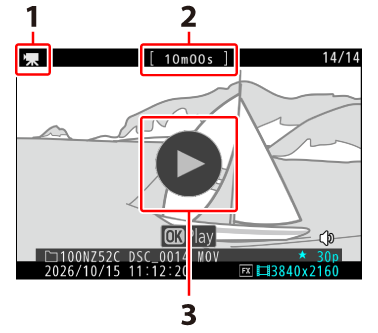

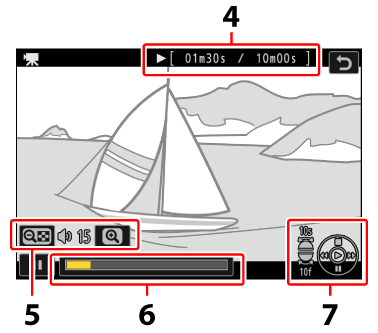
- 1 icon
- Length
- a icon
- Current position/total length
- Volume
- Progress bar
- Guide
Video Playback Controls
The following operations can be performed while playback is in progress:
| Operation | Description |
|---|---|
| Pause | Press 3 to pause playback. |
| Resume | Press J to resume playback when playback is paused or during rewind/advance. |
| Rewind/ advance |
Press 4 to rewind, 2 to advance. Speed increases with each press, from 2× to 4× to 8× to 16×. |
| Start slow-motion playback | Press 3 while the video is paused to start slow-motion playback. |
| Jog rewind/ advance |
|
| Skip 10 s | Rotate the sub-command dial one stop to skip ahead or back 10 s. |
| Skip 10 frames | Rotate the main command dial one stop to skip ahead or back 10 frames. |
| Skip to first or last frame |
|
| Zoom in | Press X to zoom in on the current frame while playback is paused. |
| Adjust volume | Press X to increase volume, W (Q) to decrease. |
| Edit video | To display the video i menu, pause playback and press the i button. |
| Exit | Press 1 to exit to full-frame playback. |