Shooting Mode
Choosing a Shooting Mode
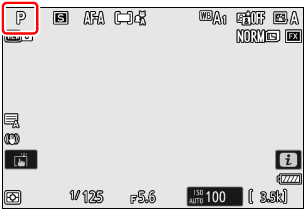
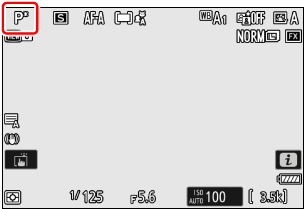
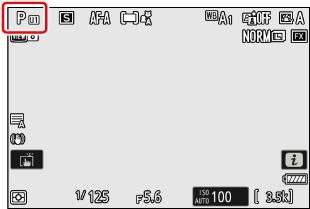
To choose a shooting mode, rotate the mode dial. The shooting mode is shown in the shooting display.
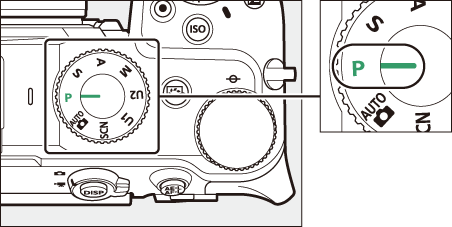
| Mode | Description | |
|---|---|---|
| AUTO (b) |
Auto (0Taking Photographs (b Mode), Recording Videos (b Mode)) | A simple “point-and-shoot” mode that leaves the camera in charge of settings. In addition to the shutter speed and aperture, the camera also automatically controls white balance and other items. |
| P | Programmed auto (0P (Programmed Auto)) | Use for snapshots and in other situations in which there is little time to adjust camera settings. The camera chooses both shutter speed and aperture automatically. |
| S | Shutter-priority auto (0S (Shutter-Priority Auto)) | Use to freeze or blur motion. You choose the shutter speed; the camera adjusts aperture automatically. |
| A | Aperture-priority auto (0A (Aperture-Priority Auto)) | Use to blur backgrounds or bring both foreground and background into focus. You choose the aperture; the camera adjusts shutter speed automatically. |
| M | Manual (0M (Manual)) | You control both shutter speed and aperture. Choose a shutter speed of “Bulb” or “Time” for long time-exposures. |
| U1 U2 |
User setting mode (0U1 and U2 (User Setting Mode)) | Assign frequently-used settings to these positions. The settings can be recalled simply by rotating the mode dial. |
| SCN (h) |
Scene mode (0h (Scene Mode)) | Select a scene mode to automatically optimize settings for that scene. |
The same exposure can be achieved with different combinations of shutter speed and aperture.
- Fast shutter speeds and large apertures (the lower f-number) freeze moving objects and soften background details.
- Slow shutter speeds and small apertures (the higher f-number) blur moving objects and bring out background details.
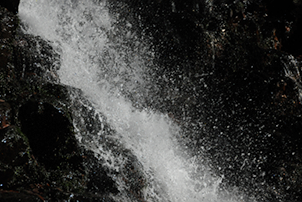
Fast shutter speed (¹/₁₆₀₀ s)
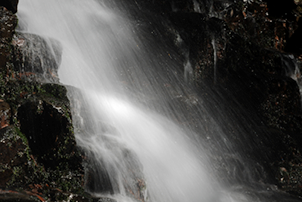
Slow shutter speed (1 s)
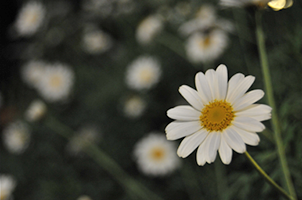
Large aperture (f/5.6)
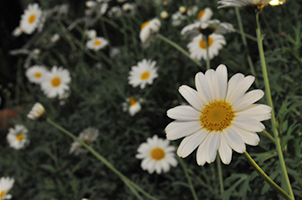
Small aperture (f/22)
b (Auto)
In addition to the shutter speed and aperture, the camera also automatically controls white balance and other items. Of the functions that can be configured by the menu, those controlled by the camera automatically are grayed out and unavailable. To change the settings of grayed-out menu functions, change the shooting mode to P, S, A, or M.
P (Programmed Auto )
In this mode, the camera automatically adjusts shutter speed and aperture according to a built-in program to ensure optimal exposure in most situations.
- You can set white balance and other items that would be controlled automatically in b (auto).
Different combinations of shutter speed and aperture that produce the same exposure can be selected by rotating the main command dial (“flexible program”) in mode P.
- While flexible program is in effect, a flexible program indicator (U) is displayed.
- To restore default shutter speed and aperture settings, rotate the main command dial until the indicator is no longer displayed. Flexible program can also be ended by choosing another shooting mode or turning the camera off.
S (Shutter-Priority Auto )
In shutter-priority auto, you choose the
Fast shutter speed (¹/₁₆₀₀ s)
Slow shutter speed (1 s)
- Rotate the main command dial to set the shutter speed.
- Shutter speed can be set to values between ¹⁄₈₀₀₀ s and 30 s.
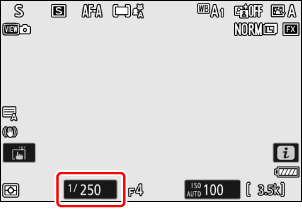
- When [Electronic front-curtain shutter] is selected for Custom Setting d6 [Shutter type], shutter speed is limited to ¹⁄₂₀₀₀ s, even when it is set faster.
- Shutter speed can be locked at the selected value (0f4: Control lock, g3: Control lock).
A (Aperture-Priority Auto )
In aperture-priority auto, you choose the
Large aperture (f/5.6)
Small aperture (f/22)
- Aperture can be adjusted by rotating the sub-command dial.
- The minimum and maximum values for aperture vary with the lens.
- Aperture can be locked at the selected value (0f4: Control lock, g3: Control lock).
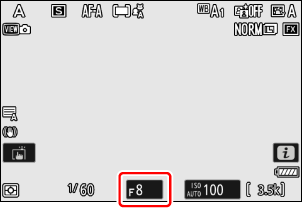
M (Manual )
You control both
- Shutter speed and aperture can be adjusted with reference to the exposure indicator by rotating the command dials.
- Rotate the main command dial to choose the shutter speed. Shutter speed can be set to values between ¹⁄₈₀₀₀ s and 30 s or to
Bulb orTime .
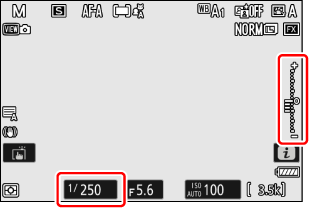
- When [Electronic front-curtain shutter] is selected for Custom Setting d6 [Shutter type], shutter speed is limited to ¹⁄₂₀₀₀ s, even when it is set faster.
- Aperture can be adjusted by rotating the sub-command dial.
- The minimum and maximum values for aperture vary with the lens.
- Shutter speed and aperture can be locked at the selected values (0f4: Control lock, g3: Control lock).
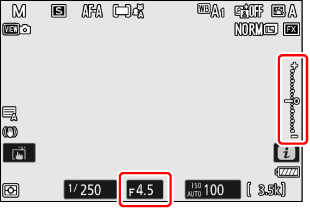
The exposure indicator in the monitor shows whether the photograph would be under- or over-exposed at current settings. The exposure indicator can be read as follows (the display varies with the option selected for Custom Setting b2 [EV steps for exposure cntrl]):
| [1/3 EV steps (comp. 1/3 EV)] selected for [EV steps for exposure cntrl] | ||
|---|---|---|
| Optimal exposure | Underexposed by 1/3 EV | Overexposed by over 3 1/3 EV |
 |
 |
 |
Reverse the orientation of the horizontal exposure indicator (negative values on the left and positive on the right, or positive on the left and negative on the right) using Custom Setting f7 [Reverse indicators].
The display will flash if the selected settings exceed the limits of the exposure metering system.
For shutter speeds as slow as 900 s (15 minutes) in mode M, select [ON] for Custom Setting d7 [Extended shutter speeds (M)].
At speeds slower than 1 s, the shutter speed displayed by the camera may differ from the actual exposure time. The actual exposure times at shutter speeds of 15 and 30 seconds, for example, are respectively 16 and 32 seconds. The exposure time will again match the selected shutter speed at speeds of 60 seconds and slower.
Auto ISO Sensitivity Control (Mode M)
If auto ISO sensitivity control (0Auto ISO Sensitivity Control) is enabled, ISO sensitivity will automatically be adjusted for optimal exposure at the selected shutter speed and aperture.
U1 and U2 (User Setting Mode )
Frequently-used settings can be assigned to user setting positions U1 and U2 and later recalled simply by rotating the mode dial.
Saving User Settings
Assign the current shooting settings to a user setting position as described below.
Adjust the following shooting settings.
- photo shooting menu options,
- video recording menu options,
- Custom Settings, and
- Shooting mode, shutter speed (modes S and M), aperture (modes A and M), flexible program (mode P), exposure compensation, etc.
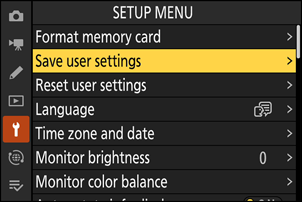
Highlight [Save user settings] in the setup menu and press 2.
Select the user settings position to assign settings.
Select [Save to U1] or [Save to U2], and then press 2.
Save user settings.
Highlight [Save settings], and press J to assign current settings to the selected position.
Take pictures using the saved settings.
You can rotate the mode dial to U1 or U2 to enable shooting with the settings assigned to that position.
Items That Cannot Be Assigned to U1 and U2
The following menu items are not saved.
PHOTO SHOOTING MENU
- [Storage folder]
- [Manage Picture Control]
- [Multiple exposure]
- [Interval timer shooting]
- [Time-lapse video]
- [Focus shift shooting]
- [Pixel shift shooting]
VIDEO RECORDING MENU
- [Storage folder]
- [Manage Picture Control]
Resetting User Settings
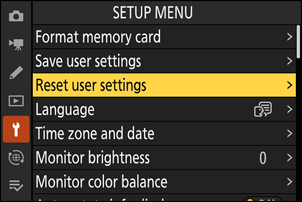
Highlight [Reset user settings] in the setup menu and press 2.
Select a user settings position to reset.
Select [Reset U1] or [Reset U2], and then press 2.
Reset user settings.
Highlight [Reset] and press the J button to restore default settings for the selected position (the camera will function in mode P).
h (Scene Mode)
Select a scene mode to automatically optimize settings for that scene.
Choosing a Scene Mode
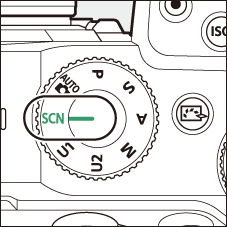
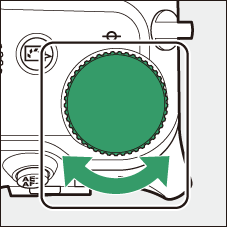
Rotate the mode dial to h and rotate the main command dial until the desired scene appears in the monitor.
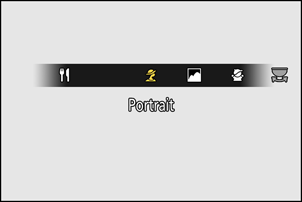
- The following scenes are available.
| k | Portrait |
|---|---|
| l | Landscape |
| p | Child |
| m | Sports |
| n | Close up |
| r | Night landscape |
| s | Party/indoor |
| t | Beach/snow |
| d | Sunset |
|---|---|
| e | Dusk/dawn |
| f | Pet portrait |
| g | Candlelight |
| j | Blossom |
| z | Autumn colors |
| 0 | Food |
Scene Modes
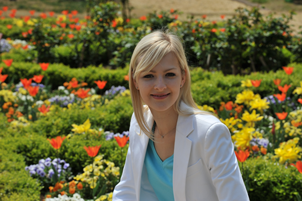
- k (Portrait)
Use for portraits with soft, natural-looking skin tones.
- If the subject is far from the background or a telephoto lens is used, background details will be softened to lend the composition a sense of depth.
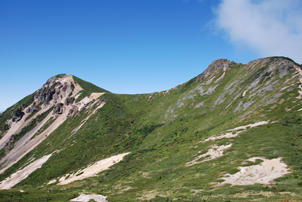
- l (Landscape)
Use for vivid landscape shots in daylight.
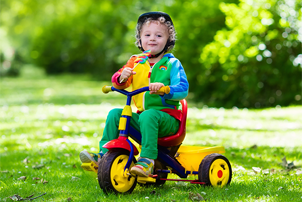
- p (Child)
Use for snapshots of children. Clothing and background details are vividly rendered, while skin tones remain soft and natural.
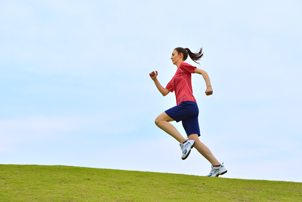
- m (Sports)
Fast shutter speeds freeze motion for dynamic sports shots in which the main subject stands out clearly.
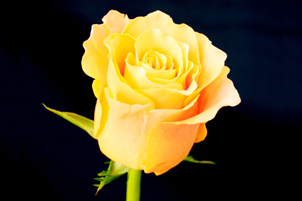
- n (Close up)
Use for close-up shots of flowers, insects, and other small objects.
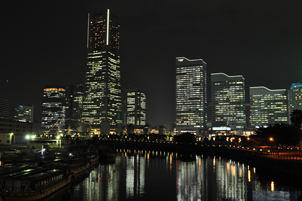
- r (Night landscape)
Reduce noise and unnatural colors when photographing night landscapes, including street lighting and neon signs.
- s (Party/indoor)
Capture the effects of indoor background lighting. Use for parties and other indoor scenes.

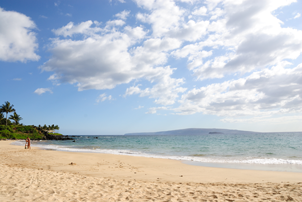
- t (Beach/snow)
Capture the brightness of sunlit expanses of water, snow, or sand.
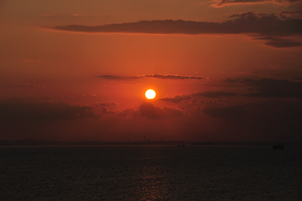
- d (Sunset)
Preserves the deep hues seen in sunsets and sunrises.
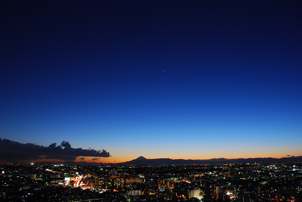
- e (Dusk/dawn)
Preserves the colors seen in the weak natural light before dawn or after sunset.
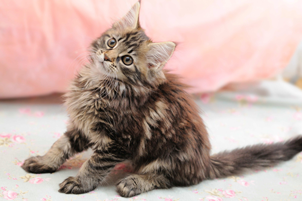
- f (Pet portrait)
Use for portraits of active pets.
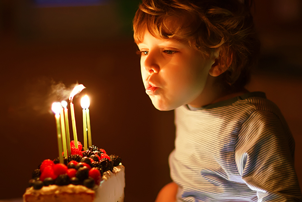
- g (Candlelight)
For photographs taken by candlelight.
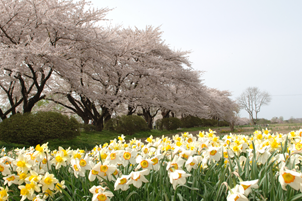
- j (Blossom)
Use for fields of flowers, orchards in bloom, and other landscapes featuring expanses of blossoms.
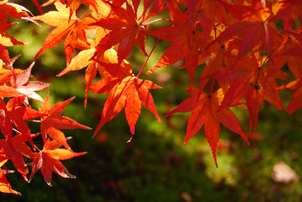
- z (Autumn colors)
Captures the brilliant reds and yellows in autumn leaves.
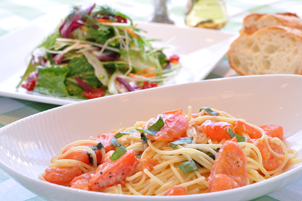
- 0 (Food)
Use for vivid photographs of food.