
Self-Timer Photography
Set the release mode to self-timer for taking pictures with about a 10-second delay after pressing the shutter-release button (
Shooting with a Self-Timer
In self-timer mode, pressing the shutter-release button all the way down starts a timer, and a photo is taken when the timer expires.
Keep the camera steady, for example by using a tripod.
Hold the c (E) button and rotate the main command dial to select E.
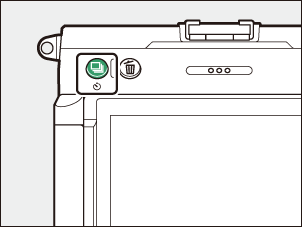
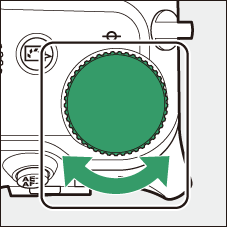
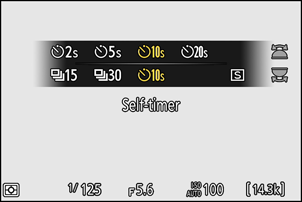
Frame the photograph and focus.
The timer will not start if the shutter cannot be released, such as when the camera is unable to focus due to AF‑S being selected for focus mode.
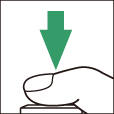
Start the timer.
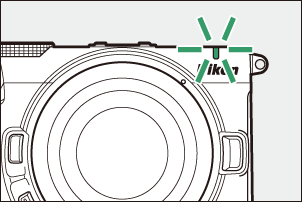
Press the shutter-release button all the way down to start the timer; the self-timer lamp will begin to flash. The lamp stops flashing two seconds before the timer expires and the camera releases the shutter.
The Focus Position in Self-Timer
- In self-timer photography, the shutter releases at the selected focus position when the shutter-release button is pressed halfway in Step 3. The subject’s motion will not affect the focus position.
- In self-portrait mode, the camera will focus about a second before releasing the shutter when using the self-timer.
Select Self-timer for [Release mode] in the Photo Shooting Menu
The self-timer can also be set from [Release mode] > [Self-timer] in the photo shooting menu.
Adjusting Self-Timer Settings
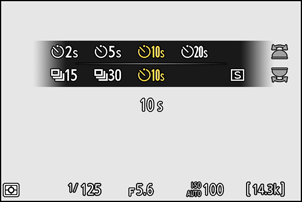
The length of the shutter-release delay and the number of shots taken can be changed using Custom Setting c2 [Self-timer]. You can also select the interval between shots when the number of shots is more than 1.
| Option | Description |
|---|---|
| [Self-timer delay] | Choose the length of the shutter-release delay. |
| [Number of shots] | Press 1 and 3 to choose the number of shots taken each time the shutter-release button is pressed; choose from values of from 1 to 9. |
| [Interval between shots] | Choose the interval between shots when [Number of shots] is more than 1. |