Inserting the Battery
- Turn the camera off before inserting or removing the
battery . -
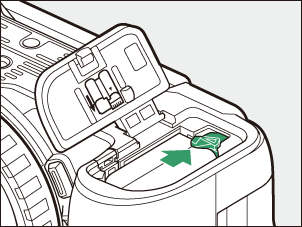
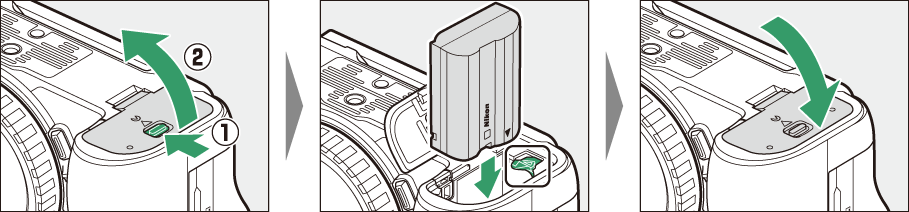
Using the battery to keep the orange battery latch pressed to one side, slide the battery into the battery chamber until the latch locks it in place.
Removing the Battery
To remove the battery, turn the camera off and open the battery chamber cover. Press the battery latch in the direction shown by the arrow to release the battery and then remove the battery by hand.