Inserting Memory Cards
This camera uses an SD memory card for storage.
- Turn the camera off before inserting or removing
memory cards . Holding the memory card in the orientation shown, slide it straight into the slot until it clicks into place.
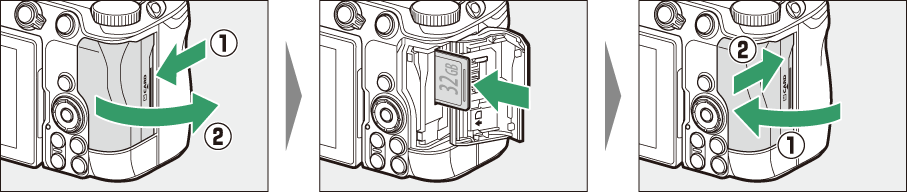
- If this is the first time the card will be used in the camera, format it using [Format memory card] in the setup menu.
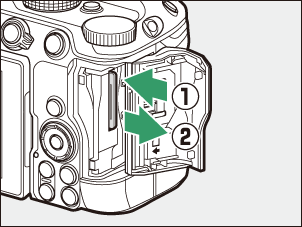
Removing Memory Cards
After confirming that the memory card access lamp is off, turn the camera off, open the memory card slot cover, and press the card in to eject it (q). The card can then be removed by hand (w).