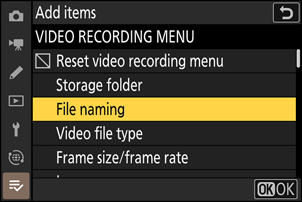
My Menu: Creating a Custom Menu
G button U O my menu
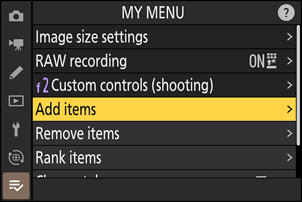
Select [Add items] in [O MY MENU].
Highlight [Add items] and press 2.
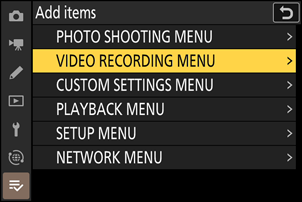
Select a menu.
Highlight the name of the menu containing the item you wish to add and press 2.
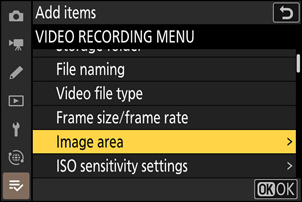
Select an item.
Highlight the desired menu item and press J.
Position the new item.
Press 1 or 3 to position the new item and press J to add it to My Menu.
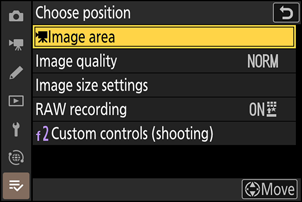
Add more items.
- The items currently displayed in My Menu are indicated by a check mark (L).
- Items indicated by a V icon cannot be selected.
- Repeat Steps 1–4 to select additional items.