
Cloud Service
This introduces Nikon's
Nikon Imaging Cloud
Nikon Imaging Cloud is Nikon’s cloud service that can be used in a web browser on the computer or smart device. Nikon Imaging Cloud provides the following services.

- Image transfer: Upload images shot with the camera to Nikon Imaging Cloud and send them to external online storage.
- Imaging Recipe: Save image shooting data as a recipe in Nikon Imaging Cloud. You can create your own recipes or select from “published recipes.” Download these recipes to your camera, register them, and use them as Picture Controls.
- Firmware update: Download firmware directly to the camera from Nikon Imaging Cloud.
To access Nikon Imaging Cloud from a computer or smart device, either scan the QR code or enter the following URL into a web browser. We recommend bookmarking the site.
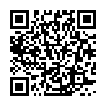
- You can also check the access QR code and URL by [Nikon Imaging Cloud] > [Accessing Nikon Imaging Cloud] in the camera’s network menu.
- Read all license agreements, etc. displayed when you use the service for the first time and only proceed if you are willing to accept them.