My Menu: Switching to the RECENT SETTINGS Menu
G button U O my menu
You can use [RECENT SETTINGS] in place of My Menu (0Recent Settings: Accessing Recently-Used Settings).
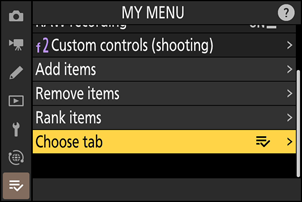
Select [Choose tab] in [O MY MENU].
Highlight [Choose tab] and press 2.
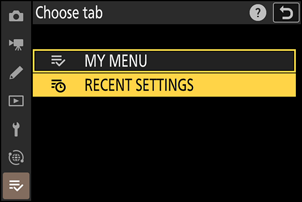
Select [m RECENT SETTINGS].
- Highlight [m RECENT SETTINGS] in the [Choose tab] menu and press J.
- The name of the menu will change from [MY MENU] to [RECENT SETTINGS] and the tab icon will change from O to m.