
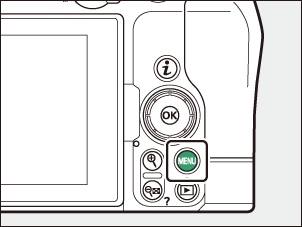
The MENU Button
Press the
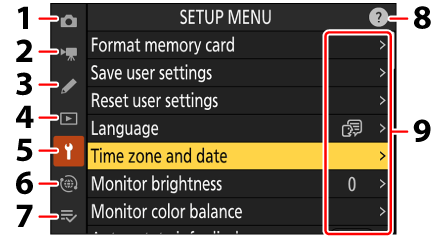
- C PHOTO SHOOTING MENU (0The Photo Shooting Menu)
- 1 VIDEO RECORDING MENU (0The Video Recording Menu)
- A CUSTOM SETTINGS MENU (0The Custom Settings Menu)
- D PLAYBACK MENU (0The Playback Menu)
- B SETUP MENU (0The Setup Menu)
- F NETWORK MENU (0The Network Menu)
- O MY MENU/m RECENT SETTINGS * (0My Menu/Recent Settings)
- d (help) icon (0The d (Help) Icon)
- Current settings
You can choose the menu displayed. The default is [MY MENU].