
Exposure Compensation
Exposure compensation is used to alter exposure from the value suggested by the camera. It can be used to make pictures brighter or darker.
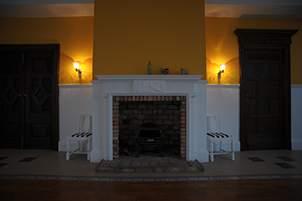
−1 EV
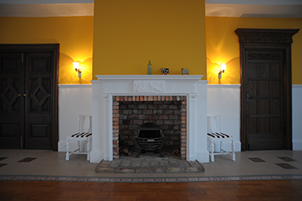
No exposure compensation
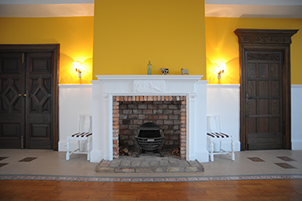
+1 EV
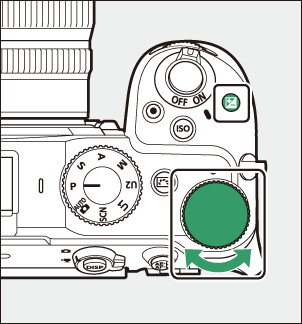
Adjusting Exposure Compensation
Hold the
- Choose from values between –5 EV (underexposure) and +5 EV (overexposure). Values between –3 EV and +3 EV are available in video mode.
- At default settings, changes to exposure compensation are made in increments of ¹⁄₃ EV. The size of the increments can be changed using Custom Setting b2 [EV steps for exposure cntrl].
- Higher values make the subject brighter, lower values darker.
The shooting display shows the E icon and indicators in photo mode and the E icon in video mode. The current exposure compensation value can be confirmed by pressing the E button.
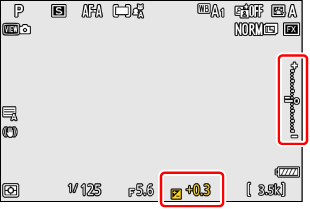
- Normal exposure can be restored by setting exposure compensation to ±0.0. Exposure compensation does not reset when the camera is turned off (note that the camera still resets exposure compensation in b and SCN modes when it is turned off).
- In mode M, exposure compensation affects only the exposure indicator; shutter speed, aperture, and ISO sensitivity do not change. Actual exposure does not change.
- Press the E button to confirm the compensation amount by value and indicator.
- When auto ISO sensitivity control (0Auto ISO Sensitivity Control) is in effect, ISO sensitivity is automatically adjusted according to the value selected for exposure compensation, changing overall exposure.
When an optional flash is used, exposure compensation affects both flash level and exposure, altering the brightness of both the main subject and the background; if desired, the effect can be restricted to the background using Custom Setting e3 [Exposure comp. for flash].