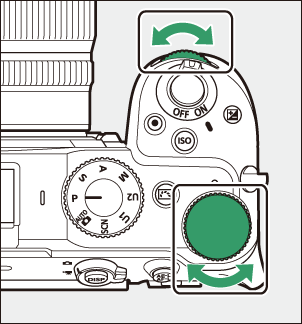
The Command Dials
Rotating the main or sub-command dial while pressing and holding buttons such as the exposure compensation (E), ISO sensitivity (S), and Fn1 or Fn2 buttons allows you to change camera settings. This enables quick direct adjustments without displaying the menu.
- The settings that can be adjusted with the command dials vary by button. Roles can be assigned to controls in Custom Setting f2 [Custom controls (shooting)] or g2 [Custom controls].
- The settings changed by the main command dial may differ from the sub-command dial depending on the roles assigned to the controls.