Image Dust Off ref photo
G button U B setup menu
Acquire reference data for the Image Dust Off option in NX Studio. Image Dust Off processes NEF (RAW) pictures to mitigate effects caused by dust adhering to the front of the camera image sensor. For more information, refer to NX Studio’s online help.
https://nikonimglib.com/nxstdo/onlinehelp/
Acquiring Image Dust Off Reference Data
Before acquiring Image Dust Off reference data, select photo mode by rotating the photo/video selector to C.
Choose a start option.
- Highlight [Start] and press J to immediately display the [Image Dust Off ref photo] dialog.
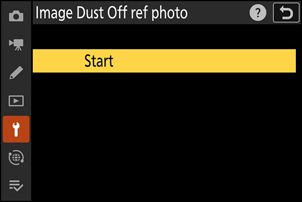
- To exit without acquiring Image Dust Off reference data, press G.
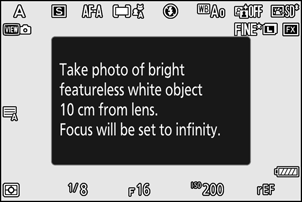
With the lens about ten centimeters (four inches) from a well-lit, featureless white object, frame the object so that it fills the display and then press the shutter-release button halfway.
- In autofocus mode, focus will automatically be set to infinity.
- In manual focus mode, set focus to infinity manually.
Press the shutter-release button the rest of the way down to acquire Image Dust Off reference data.
- The monitor turns off when the shutter-release button is pressed.
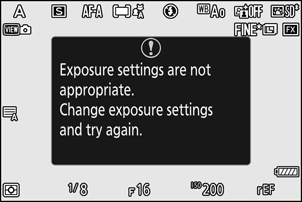
If the reference object is too bright or too dark, the camera may be unable to acquire Image Dust Off reference data, in which case a message will appear and the camera will return to the display shown in Step 1. Choose another reference object and press the shutter-release button again.
Cautions: Acquiring Image Dust Off Reference Data
- An FX-format lens with a focal length of at least 50 mm is recommended.
- When using a zoom lens, zoom all the way in.
- Image Dust Off data cannot be acquired when a DX lens is attached.
- Image Dust Off reference data recorded before cleaning the image sensor cannot be used with NX Studio's Image Dust Off feature on photographs taken after sensor cleaning as the dust will move. To use Image Dust Off with future photographs, perform sensor cleaning before acquiring reference data.
- The same reference data can be used for photographs taken with different lenses or at different apertures.
- Reference images cannot be viewed using computer imaging software.
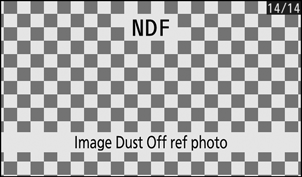
A grid pattern is displayed when reference images are viewed on the camera.