
The Monitor
At default settings, the following indicators appear in the
Photo Mode
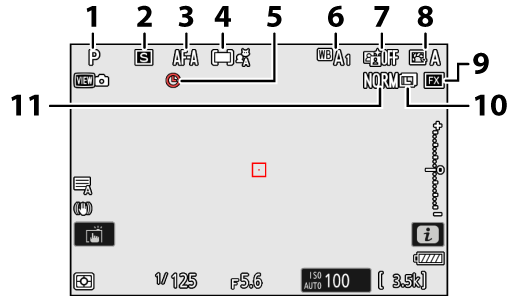
- Shooting mode (0Choosing a Shooting Mode)
- Release mode (0Release Mode)
- Focus mode (0Focus Mode)
- AF-area mode (0AF-Area Mode)
- g icon (0The g Icon)
- White balance (0White Balance)
- Active D-Lighting (0Active D-Lighting)
- Picture Control (0Picture Controls)
- Image area (0Adjusting Image Area Settings)
- Image size (0Choosing an Image Size)
- Image quality (0Adjusting Image Quality)
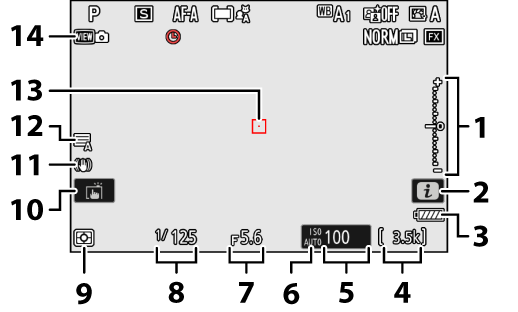
Exposure indicator
- Exposure (0Exposure Indicator)
- Exposure compensation (0Exposure Compensation)
- i icon (0The i Button (i Menu), The Photo Playback i Menu, The Video Playback i Menu)
- Battery indicator (0Battery Level)
- Number of exposures remaining (0Number of Exposures Remaining, Memory Card Capacity)
- ISO sensitivity (0ISO Sensitivity)
ISO sensitivity indicator (0ISO Sensitivity)
Auto ISO sensitivity indicator (0Auto ISO Sensitivity Control)
- Aperture (0A (Aperture-Priority Auto), M (Manual))
- Shutter speed (0S (Shutter-Priority Auto), M (Manual))
- Metering (0Metering)
- Touch shooting (0The Touch Shutter)
- Vibration reduction indicator (0Vibration reduction)
- Shutter type (0d6: Shutter type)
- Focus point (0Focus-Point Selection)
- View mode (photo live view; 0d10: View mode (photo Lv))
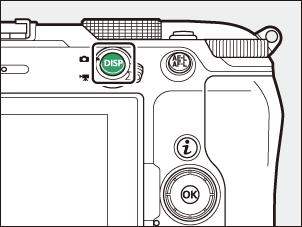
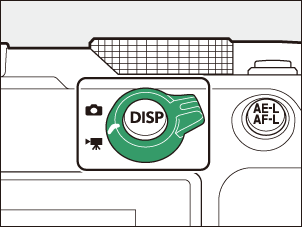
Using the Monitor with the Camera in “Tall” Orientation
In photo mode, the playback, i menu, and shooting display rotate to match
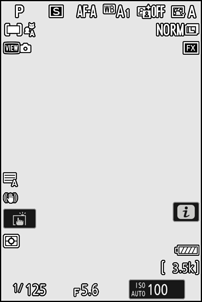
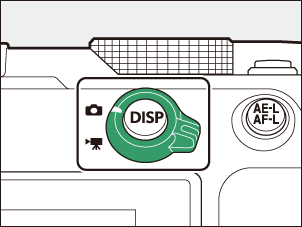
Press the
Video Mode
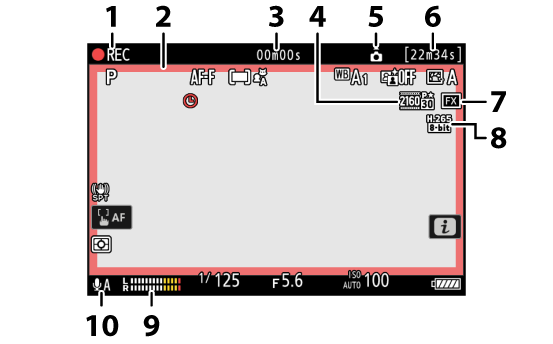
Recording indicator
“No video” indicator (0The 0 Icon)
- Recording indicator (red border; 0g18: Red REC Frame Indicator)
- Length of footage recorded
- Frame size and rate (0Video Frame Size and Rate Options)
- Camera orientation information (0Record camera orientation)
- Available recording time
- Image area (0Video Image Area Options)
- Video file type (0Video File Types)
- Sound level (0Microphone sensitivity)
- Microphone sensitivity (0Microphone sensitivity)
Angling the Monitor
The monitor can be angled and rotated.
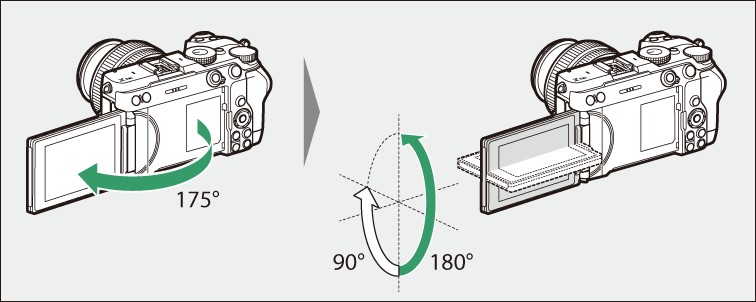
- Normal use:
The monitor is normally used in storage position with the screen facing outward.
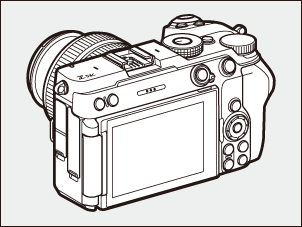
- Low-angle shots:
Tilt the monitor up to take shots with the camera held low.
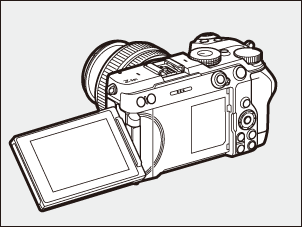
- High-angle shots:
Tilt the monitor down to take shots with the camera held high.
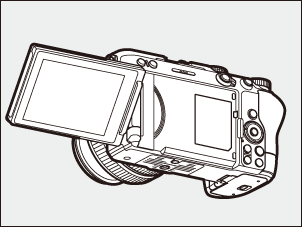
- Self-portraits:
Rotating the monitor to face the same direction as the lens enables self-portrait mode (0Self-Portraits).
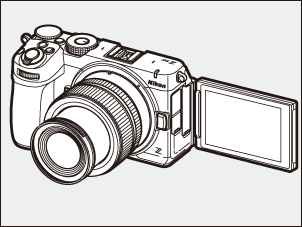
- Rotate the monitor gently within the limits of its hinges. Using excessive force could damage the camera or monitor.
- We recommend returning the monitor to the storage position with the screen facing inward to keep it free of dust and scratches when not in use.
- Do not lift or carry the camera by the monitor. Failure to observe this precaution could result in damage to the camera.