
Creating Stills from a Selected Length of Footage
The frames in a selected length of footage can be saved as a series of individual JPEG images.
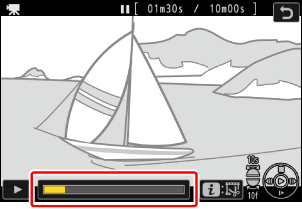
Pause the video on the desired frame.
- Press 3 to pause playback.
- Your approximate position in the video can be ascertained from the video progress bar.
- Rotate the sub-command dial one stop to skip ahead or back 10 s.
- Rotate the main command dial one stop to skip ahead or back 10 frames.
- Press 4 or 2 to advance or rewind one frame at a time.
Press the i button, highlight [Save consecutive frames] and press 2.
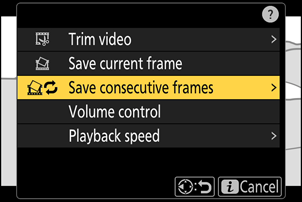
Choose the length of footage.
Choose the length of footage that will be saved as stills.
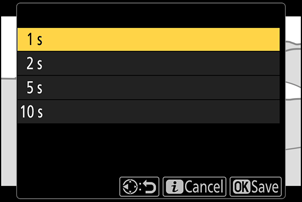
Press J.
The selected footage will be saved as a series of JPEG stills. The number varies with the video frame rate.
- Stills are saved at the dimensions selected for [Frame size/frame rate] in the video recording menu when the video was recorded.
- They cannot be retouched.